




Qotom Q31100G4-S17: One Mini PC for Desktop, NAS, and Home Lab
Most multi-LAN mini PCs are purchased for networking. But what if one compact computer could also serve as a desktop PC, an SSD-based NAS, or a virtualization server?
The Qotom Q31100G4-S17 combines an 11th Gen Intel Tiger Lake processor, four Intel I226-V 2.5GbE ports, and four M.2 SSD slots.
This combination makes it a versatile platform for users who need more than a traditional mini PC.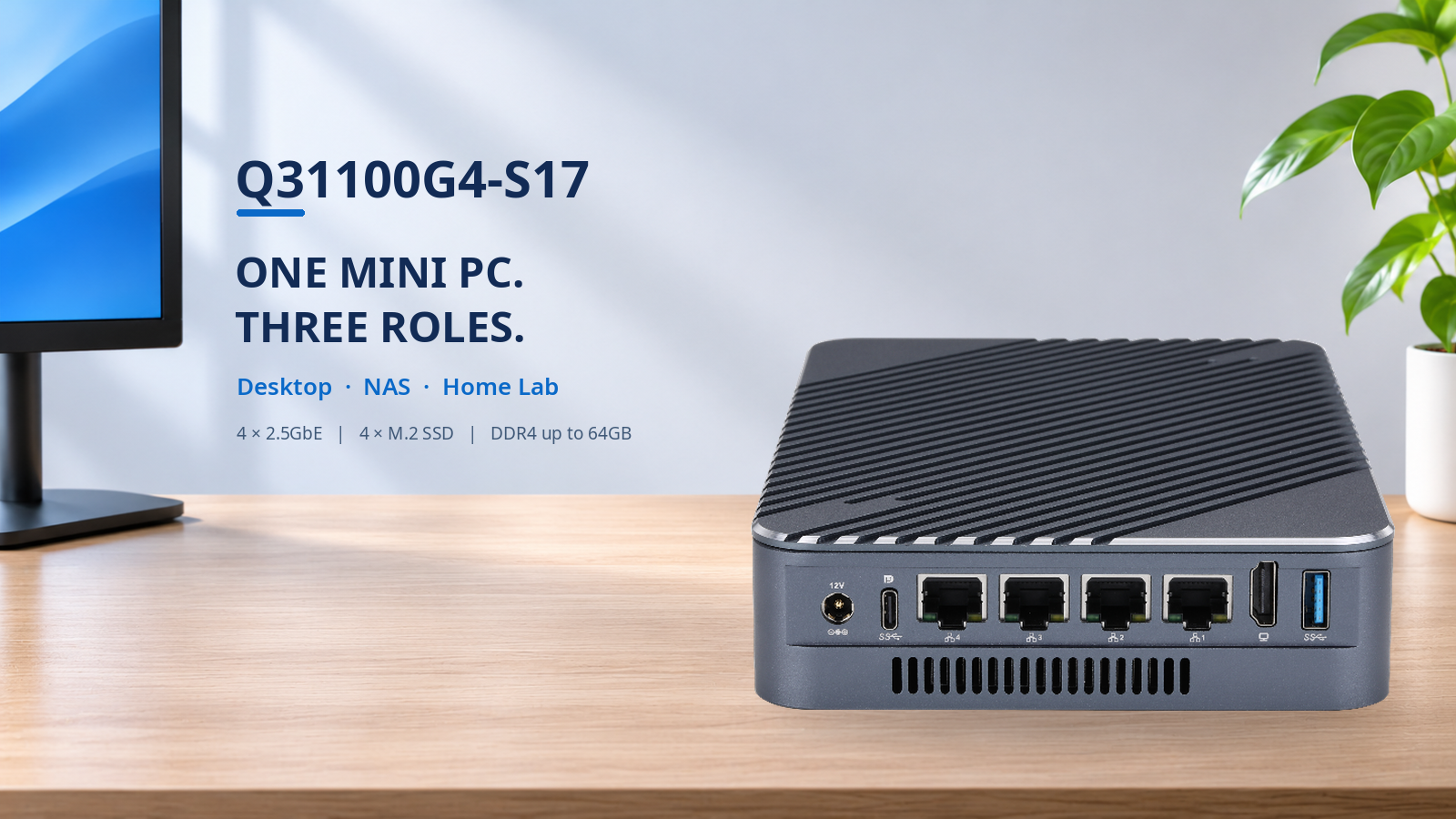
1. A Compact Intel Desktop Mini PC
The Q31100G4-S17 supports Intel Tiger Lake processors, with configurations ranging from Celeron to Core i3, i5, and i7.
For desktop applications, it provides HDMI and USB Type-C with DisplayPort output, allowing users to connect external monitors.
Other features include USB 3.0, USB 2.0, and dual DDR4 SO-DIMM sockets supporting up to 64GB of memory.
Depending on the processor and memory configuration, it can handle everyday office tasks, web browsing, programming, and Linux desktop applications.
Unlike a typical desktop mini PC, it also offers four dedicated 2.5GbE network connections.
2. Build a 4-SSD M.2 NAS
Storage expansion is one of the most distinctive features of this Qotom mini PC.
It provides four M.2 SSD slots, supporting 2242, 2260, and 2280 M-key SSD form factors.
The storage interfaces include:
2 × M.2 PCIe 3.0 ×2
2 × M.2 PCIe 3.0 ×1
These slots allow users to install multiple SSDs for file storage, backups, or a compact all-flash NAS.
Common SSD capacity requirements include 128GB, 256GB, 512GB, and 1TB, subject to drive compatibility.
With suitable software, the system can be configured for shared storage or redundant storage pools.
However, the four M.2 slots have different PCIe bandwidth allocations. Buyers should consider this when planning storage performance.
3. A Flexible Proxmox Home Lab Server
The combination of four SSD slots, four Intel I226-V Ethernet controllers, and expandable DDR4 memory also makes the Q31100G4-S17 interesting for home lab projects.
With a compatible Proxmox installation, users can explore virtual machines, containers, and network services.
Possible configurations include:
8GB or 16GB RAM: Lightweight Linux services and basic testing.
32GB RAM: Multiple virtual machines and development environments.
64GB RAM: More demanding virtualization workloads, depending on CPU and storage resources.
Four physical 2.5GbE ports provide flexibility for separating management, storage, and other network traffic.
This is particularly useful when testing different network configurations without relying entirely on VLANs.
4. What Should You Check Before Buying?
The Q31100G4-S17 measures approximately 142 × 210 × 39mm and features an aluminum alloy chassis with fan-assisted cooling.
Before ordering, consider your preferred Intel processor, memory capacity, SSD requirements, and operating system. The model supports UEFI Windows 10 and Linux configurations, while compatibility with specific NAS or virtualization distributions should be verified for your intended deployment.
For technical specifications and hardware details, explore the Qotom Q31100G4-S17 product overview.To check available configurations or submit a purchasing inquiry, visit the Qotom official product page.
Whether used as a desktop computer, an SSD NAS, or a home lab server, the Q31100G4-S17 combines computing performance, flexible storage expansion, and high-speed networking in one compact system.