




GPIO vs RS-232: Choosing the Right I/O for an Industrial Mini PC
Industrial mini PCs often include GPIO, RS-232, and RS-485 interfaces for connecting external equipment. While these interfaces are common in industrial automation, they serve different purposes.
Choosing the right I/O configuration helps simplify equipment integration, reduce unnecessary adapters, and improve system reliability.
1. What Is GPIO on an Industrial Mini PC?
GPIO (General-Purpose Input/Output) allows a computer to monitor and control individual digital signals.
Digital inputs (DI) detect signal states, while digital outputs (DO) send control signals to compatible external circuitry.
Common GPIO applications include:
Monitoring door switches and limit sensors.
Detecting equipment alarms and status signals.
Controlling compatible relay modules through suitable interface circuitry.
Triggering indicators and simple automation functions.
GPIO is particularly useful for applications requiring basic on/off control rather than continuous data communication.
However, GPIO voltage levels and current limits vary between devices. External equipment must match the specified electrical requirements.
2. RS-232 vs RS-485: When Do You Need Serial Communication?
Unlike GPIO, RS-232 and RS-485 interfaces transmit serial data between devices.
RS-232 is commonly used with barcode scanners, industrial instruments, legacy controllers, and other point-to-point devices.
RS-485 supports differential signaling and is widely used in industrial environments requiring longer communication distances or multidrop networks.
| Interface | Primary function | Typical applications |
|---|---|---|
| GPIO | Digital input/output signals | Sensors, switches, relay control |
| RS-232 | Point-to-point serial communication | Scanners, instruments, legacy equipment |
| RS-485 | Differential serial communication | Industrial controllers, meters, multidrop networks |
GPIO cannot directly replace an RS-232 or RS-485 port because these interfaces use different electrical signaling methods.
The correct choice depends on the equipment interface, communication protocol, and installation requirements.
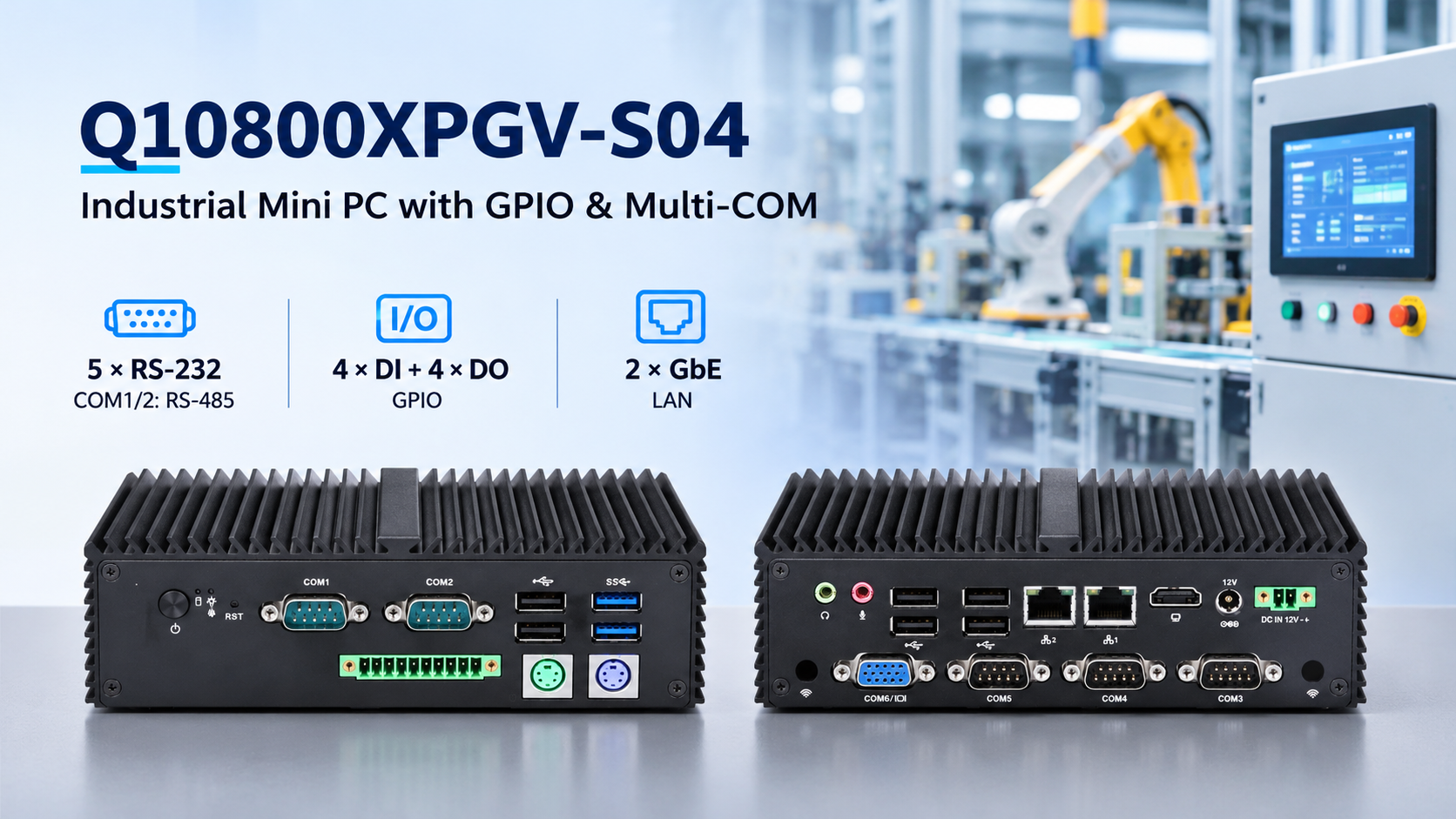
3. Qotom Q10800XPGV-S04: GPIO and Multi-COM in One Mini PC
For industrial systems requiring both digital I/O and serial communication, the Qotom Q10800XPGV-S04 Industrial Mini PC combines multiple interfaces in a compact fanless aluminum chassis.
Powered by Intel Elkhart Lake processor options, including the Celeron J6412, it provides:
4 digital inputs + 4 digital outputs (4DI/4DO) for GPIO applications.
5 × RS-232 ports, with COM1/COM2 configurable for RS-485.
2 × Gigabit Ethernet ports for network connectivity.
DDR4 SO-DIMM memory support up to 32GB.
mSATA and SATA storage connectivity.
Watchdog support and an auto-start jumper.
This combination makes the Q10800XPGV-S04 suitable for industrial monitoring, equipment control, data acquisition, and serial-device integration.
For example, GPIO can monitor machine status signals while serial ports collect data from industrial meters or communicate with external controllers.
4. How to Choose the Right Industrial Mini PC
Before selecting an industrial computer, identify the interfaces required by your existing equipment.
For switches, alarms, and discrete control signals, GPIO may be sufficient. For scanners, meters, and intelligent controllers, RS-232 or RS-485 is generally more appropriate.
If your system uses both types of devices, an industrial mini PC with integrated GPIO and multiple COM ports can simplify wiring and reduce external hardware.
Always verify the GPIO pinout, electrical specifications, serial communication settings, and operating-system compatibility before deployment.
Choosing the correct I/O interfaces is more important than simply choosing a computer with the most ports.