




Proxmox VM vs LXC: Which Is Better for a Mini PC Home Lab?
Proxmox VE supports two virtualization technologies: KVM virtual machines (VMs) and Linux Containers (LXC).
Both can run on a compact Qotom mini PC, but they work differently. Choosing the right option can help reduce resource usage, improve isolation, and simplify home lab management.
So, should you create a virtual machine or an LXC container for your next service?
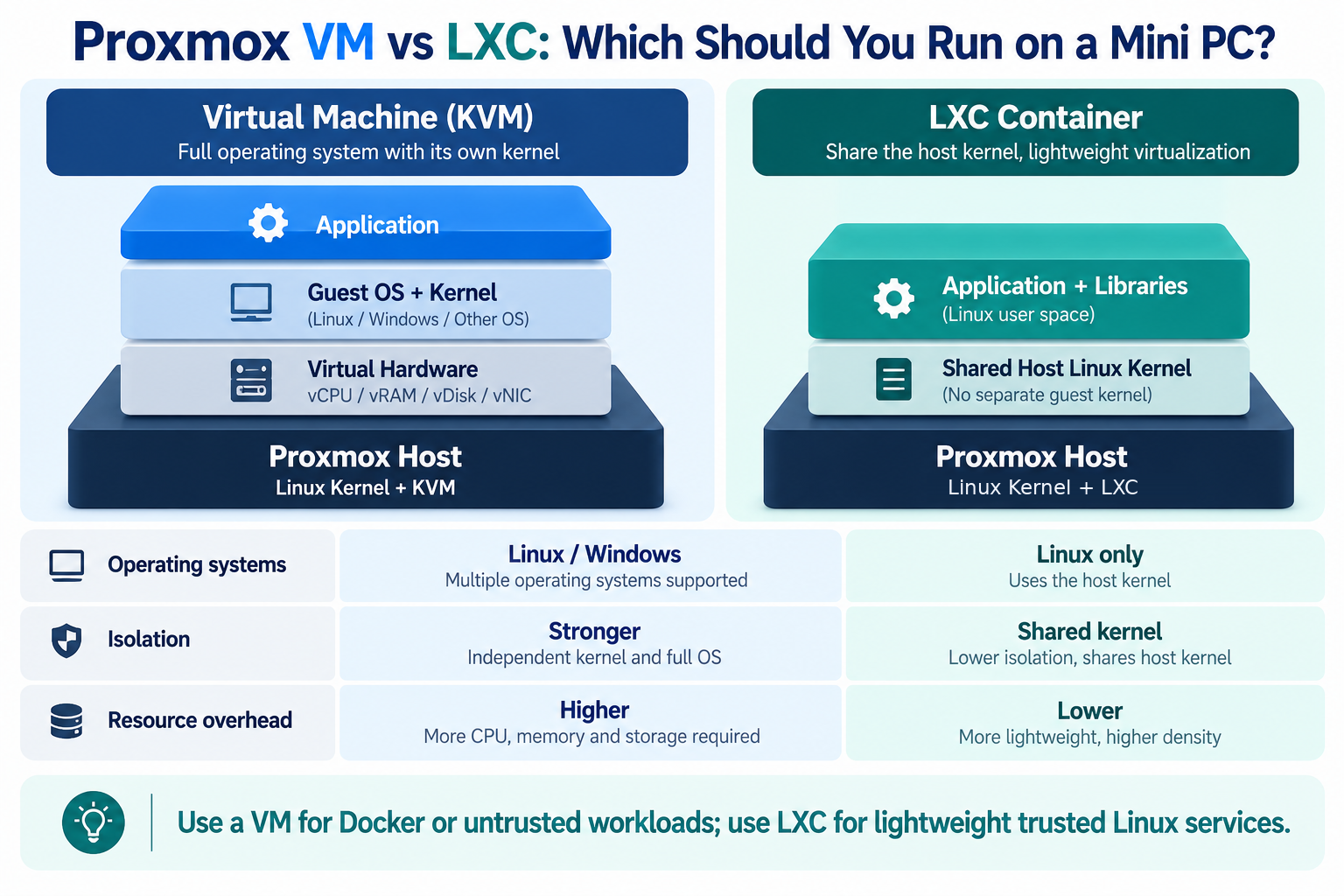
1. What's the Difference Between VM and LXC?
A virtual machine runs a complete guest operating system with its own kernel. Proxmox uses KVM to provide virtualized hardware, allowing you to install Linux, Windows, and other supported operating systems.
An LXC container shares the Proxmox host's Linux kernel. It provides an isolated Linux environment without running a separate guest kernel.
This difference affects resource usage, compatibility, and security.
| Feature | Virtual Machine (KVM) | LXC Container |
|---|---|---|
| Operating systems | Linux, Windows, others | Linux only |
| Kernel | Separate guest kernel | Shares host kernel |
| Resource overhead | Generally higher | Generally lower |
| Isolation | Stronger | More limited |
| Typical use | Windows, network appliances | Lightweight Linux services |
Both technologies support networking and storage management through Proxmox VE.
2. When Should You Use an LXC Container?
LXC is a practical choice for lightweight Linux services that do not require a separate operating system kernel.
Common examples include:
Small web servers
DNS services
Monitoring tools
Lightweight databases
Linux-based automation services
Because containers share the host kernel, they generally start faster and consume fewer resources than equivalent full virtual machines.
This makes LXC useful for a Qotom mini PC running several small services simultaneously.
For security, unprivileged containers are generally preferable. They reduce the privileges available to processes inside the container.
However, applications requiring unusual kernel features or extensive device access may need additional configuration.
3. When Is a Virtual Machine Better?
A full VM is usually the better choice when operating system compatibility or stronger isolation matters.
For example, choose a VM when running:
Windows 10/11
A Linux distribution requiring its own kernel
pfSense or OPNsense
Untrusted applications
Docker workloads requiring a more isolated environment
Proxmox recommends running application containers such as Docker inside a QEMU/KVM virtual machine rather than directly inside LXC.
This approach provides a separate guest kernel and avoids some compatibility and security complications associated with nested container configurations.
VMs generally require more memory and storage because each guest runs its own operating system.
4. Can You Run VM and LXC Together?
Yes. One of Proxmox VE's main advantages is that both technologies can run on the same host.
For example, a Qotom mini PC home lab could use:
Virtual machines
One Linux VM for Docker applications
One Windows VM for software testing
One virtual firewall for network experiments
LXC containers
One DNS service
One monitoring server
One lightweight web server
The exact number of guests depends on available CPU resources, memory, and storage.
You can also connect VMs and containers through Proxmox Linux bridges and VLAN-aware networking when required.
Final Thoughts
There is no need to choose only one virtualization technology.
Use LXC for lightweight, trusted Linux services. Choose KVM virtual machines when you need another operating system, a separate kernel, or stronger isolation.
For most Proxmox mini PC home labs, combining VMs and LXC containers offers the best balance of flexibility and resource efficiency.