




Watchdog Timer vs Auto Power On: How Industrial Mini PCs Recover from Failures
Industrial computers often operate continuously in factories, network cabinets, and remote monitoring systems. When an unexpected shutdown or system freeze occurs, manual intervention may be difficult or expensive.
Two useful recovery features are Auto Power On and the Hardware Watchdog Timer. Both can improve the availability of an industrial mini PC, but they solve different problems.
1. What Is Auto Power On?
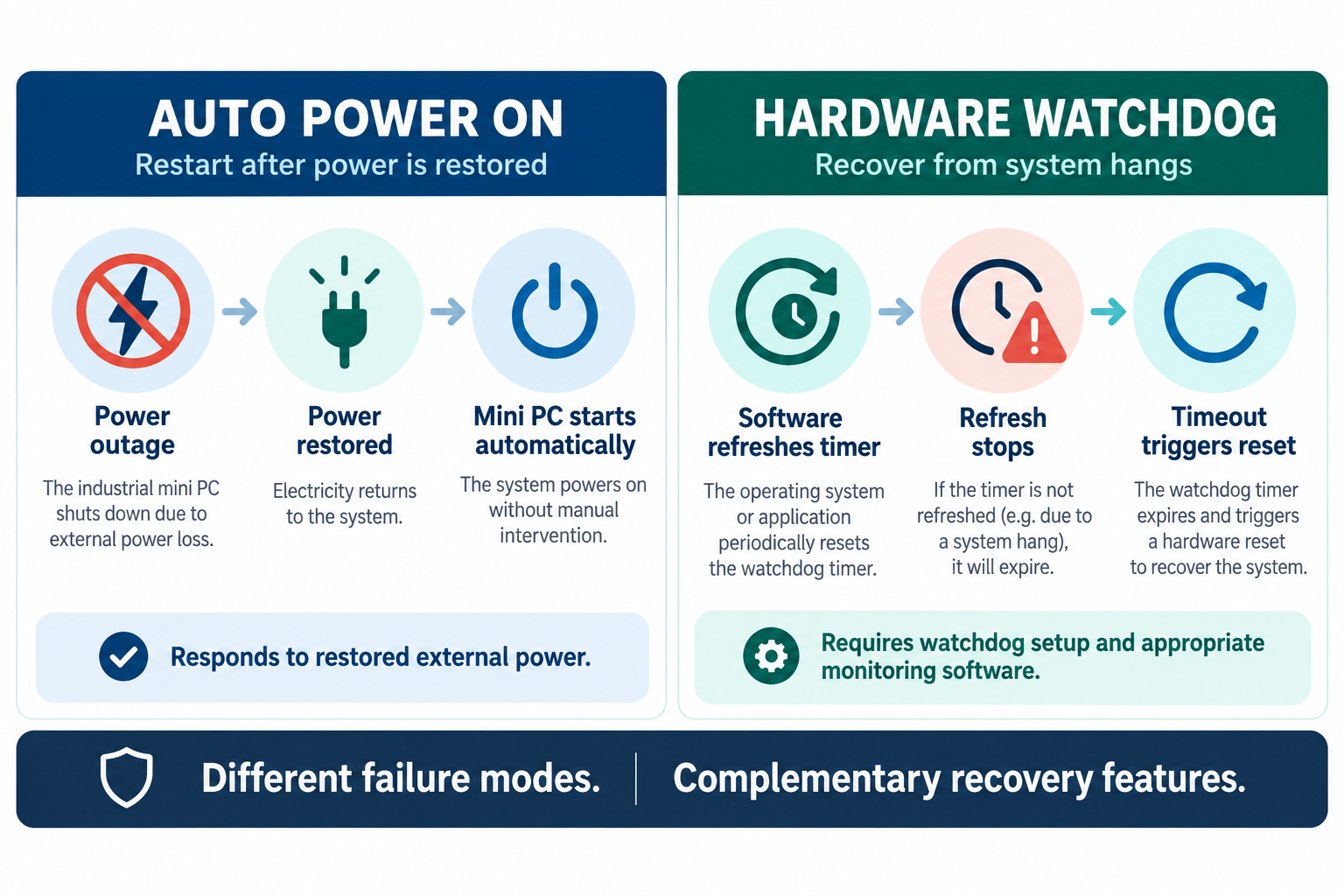
Auto Power On, also called Power On After Power Failure or AC Power Recovery, allows an industrial computer to start automatically when external power is restored.
For example, consider an industrial gateway installed inside a factory control cabinet. If a power outage shuts down the computer, Auto Power On can restart it once electricity returns.
Depending on the motherboard, this feature may be configured through BIOS settings or an onboard AutoStart jumper.
Typical applications include industrial automation, unattended monitoring stations, remote IoT gateways, and embedded control systems.
However, Auto Power On does not normally recover a computer that freezes while power remains available.
2. What Does a Hardware Watchdog Timer Do?
A hardware watchdog timer (WDT) helps detect certain system failures.
When properly configured, the operating system or monitoring application must periodically refresh the watchdog timer. If those refresh signals stop, the timer expires and can trigger a hardware reset.
This can help recover from operating-system hangs or application failures that prevent the watchdog service from running.
Unlike Auto Power On, a watchdog timer does not require an external power outage to initiate recovery.
However, watchdog support must be configured correctly. A watchdog cannot detect every application failure, especially if the software continues refreshing the timer despite malfunctioning.
3. Watchdog Timer vs Auto Power On
| Feature | Auto Power On | Hardware Watchdog |
|---|---|---|
| Main purpose | Restart after power restoration | Recover from detected system hangs |
| Typical trigger | External power returns | Watchdog timeout |
| Requires software configuration | Usually no | Usually yes |
| Useful for unattended systems | Yes | Yes |
For a 24/7 industrial computer, using both features can provide more comprehensive recovery capabilities.
For example, Auto Power On can restore operation after an electrical outage, while a watchdog timer can help recover from certain software or operating-system failures.
Neither feature replaces proper system monitoring, reliable power supplies, or application-level recovery mechanisms.
4. Qotom Industrial Mini PCs with Recovery Features
Several Qotom industrial mini PCs include watchdog support and automatic startup options.
Q30600P-S02 — Industrial Control and Legacy Equipment
The Q30600P-S02 supports Intel 6th/7th Gen processors and provides:
4 × RS-232 serial ports
2 × Gigabit Ethernet
Hardware watchdog support
AutoStart jumper
Best for: Industrial equipment monitoring, serial device integration, and established automation systems.
Q10900XP-S04 — Modern Fanless Industrial Computing
The Q10900XP-S04 supports Intel Alder Lake-N and Twin Lake-N processors, including the N100.
6 × RS-232 serial ports
2 × 2.5GbE LAN
DDR5 memory up to 48GB
Hardware watchdog support
AutoStart jumper
Fanless aluminum chassis
Best for: Embedded industrial computers, remote equipment monitoring, and low-power industrial gateways.
Before deployment, confirm the watchdog configuration method and automatic startup settings for your exact motherboard and BIOS version.
Final Thoughts
Auto Power On and hardware watchdog timers address different causes of downtime.
For industrial mini PCs operating without constant supervision, enabling appropriate recovery features can reduce the need for manual restarts.
The most reliable approach combines hardware recovery, application monitoring, and regular testing under realistic operating conditions.